
Turn journey log photos into logbook entries.
Capture a journey log photo. Review extracted hours, routes, crew, and aircraft details. Save clean, accurate entries to your digital logbook.

How Pilot Logbook AI Works
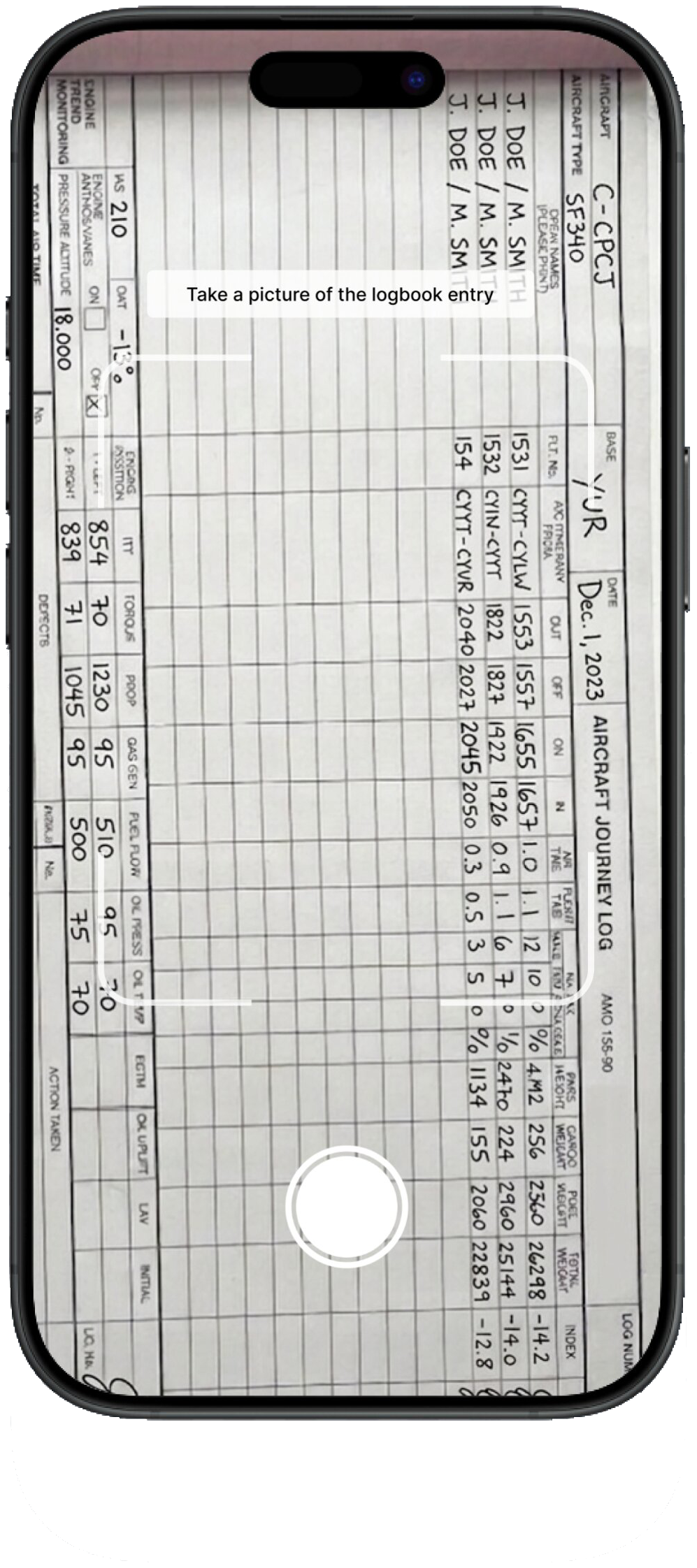
Pilots are putting paper away
Fantastic App
“I already take photos of the aircraft journey log in order to manually transcribe them later, and this app just takes out all the hard work. Instead of waiting a month and having a backlog of flights build up, this app allows me to efficiently log all the information right way. The accuracy is much better than expected! It's not perfect but it is still very accurate. Great app!”
Why choose Pilot Logbook AI?
Stop typing your logbook twice
Copying flight details by hand is the worst part of keeping a logbook. Take a photo of any page and Pilot Logbook AI does the typing for you.
You stay in the loop on every entry
Every transcribed entry shows up for you to confirm before it's saved. Edit it, export it, or come back to it later. Same fields you'd see on paper.
Your hours are always with you
Your flight history is backed up to the cloud and stays in sync across every device you sign in on. One tap to your hours, no matter where you are.
Pilot Logbook AI vs paper vs spreadsheets
Keep your paper logbook if you like the feel of it. Just stop typing it twice.
| Feature | Paper logbook | Spreadsheet | Pilot Logbook AI |
|---|---|---|---|
| Update your logbook in seconds, not minutes | |||
| Reads handwriting for you | |||
| Calculates totals for you | Manual | ||
| Cloud backup and multi-device sync | |||
| Search and export your flight history | |||
| Survives a coffee spill |
Frequently asked questions
What is Pilot Logbook AI?
Pilot Logbook AI is an iOS app that turns your paper pilot logbook into a digital one. You photograph a page, the app reads the handwriting, and the entry is ready to save in your digital logbook.
How does Pilot Logbook AI work?
Take a photo of a page in your paper pilot logbook. The app reads the handwriting and picks out the flight details (date, aircraft, route, flight time). You confirm or edit what it found, and the entry is saved.
What flight details does the AI pull out of my logbook?
The standard fields you'd find on a paper logbook page: date, aircraft type, route, and total flight time. Anything the AI gets wrong is editable before you save.
Does it work with handwritten logbook entries?
Yes. Reading handwritten paper logbook entries is the whole point of the app. It handles different handwriting styles, and you can correct anything that looks off before saving.
Who is Pilot Logbook AI built for?
Anyone who keeps a paper logbook. Student pilots clocking training hours, CFIs, private pilots, and commercial pilots tracking time for currency or a career move.
Can I export or filter my logbook?
PDF exports and customizable filters are coming in the next update, so you can organize your hours and share clean logbook records more easily.
Is my logbook data backed up and synced across devices?
Yes. Your flight history is backed up to the cloud and synced to every device you sign in on. Your hours go where you go.
Is Pilot Logbook AI available on Android?
Right now, Pilot Logbook AI is iOS-only and available on the App Store. Android is on the roadmap.